
ⓘ All camera feeds share a single timeline. When you play, pause, scrub, or rewind, all selected feeds remain aligned to the same match time.
Playing, Pausing & Scrubbing
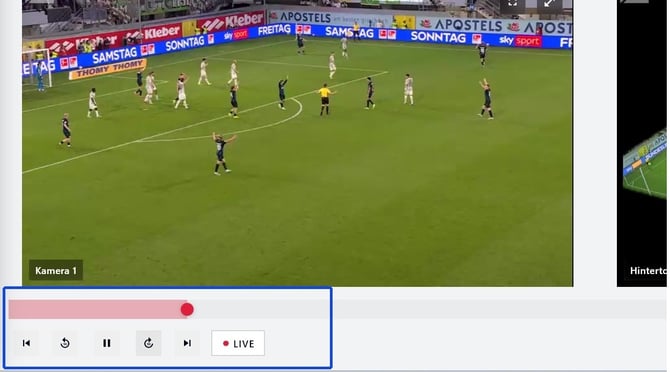
Scrub the timeline:
- The timeline runs along the bottom of the screen
- Tagged moments appear as coloured dots on the timeline
- Tap any point on the timeline to jump to that moment
- Tap a colored dot to jump to a tagged moment
Jump back (−1s / −10 s)
Use the −1 s or −10 s rewind button to quickly review a moment without dragging the timeline.
Returning to Live
If you scrub back on the timeline to review a moment during a live match, tap the LIVE button in the bottom bar to return to the live stream instantly.
⚠ The LIVE button is highlighted in red when you are watching the live stream. It becomes inactive when you scrub back in time.
Tagging during playback
Selecting Add tag opens the create-tag flow at your current timeline position
- Adding a tag pauses playback automatically
Continue reading Create a Tag During a Match and Tag Colors and Filters to create, filter, and manage tags.