
What you're seeing
- Your event is still running, but Live Session has stopped showing new messages
- One or more channels went quiet while others are still updating
- The transcript feed looks frozen
Start here: find your Connection Status
First, check the Connection Status indicator in the Sidebar. If it shows Disconnected, your browser is no longer receiving live updates.
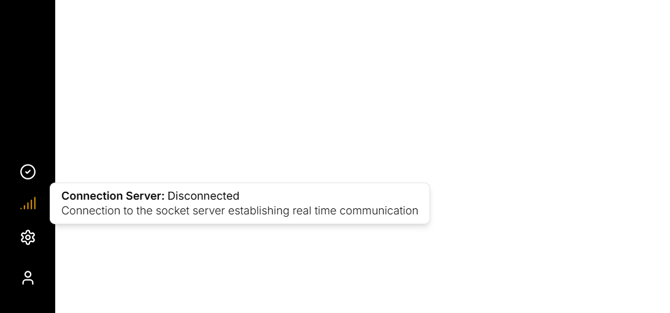
If the signal icon shows Disconnected, your browser may not be receiving live updates. The feed can look frozen even when the session is still Running.
Try this:
-
Refresh the page and check your network.
- If you're using a VPN, temporarily disconnect it or switch networks.
Session Status shows: Finished (most common)
-
Your session reached its configured end time and stopped.
- Or A Manager/TV Broadcaster stopped a session using Stop Session. Check with your team before restarting.
ⓘ ONE TRANSCRIPT only transcribes audio between the Start and End times.
To continue transcription:
-
Extend the session End Date/Time in Settings → Sessions.
- Return to Live Session and select Force restart session. See Live Session Controls for step-by-step instructions.
Session Status shows: Error
ONE TRANSCRIPT lost its connection to one or more radio streams. Transcription has stopped on those channels.

If Session Status shows Error, follow the steps in Fix Session Status: Error to identify failed streams, verify Stream URLs, and restart the session if needed.